






Is Standing Better Than Sitting? How to Balance Both at Work
Working from home in Australia often means making room for a desk in a spare bedroom or a corner of the living room. Whether you’re answering emails or joining back-to-back video calls, it’s easy to spend most of the morning seated without noticing.
So, is standing better than sitting at work? Standing can help break up long seated periods, but spending hours on your feet is not the goal either. This guide explains how to balance sitting, standing, and movement—and set up a home workspace that makes changing position easier.
Is Standing Better Than Sitting at Work?
Standing can help break up a long stretch of sitting, but it is not automatically better for the whole workday. How long you stay in one position—and how often you move—matters more than simply choosing to sit or stand.
When you spend hours seated at a computer, muscle activity and energy use remain low. Safe Work Australia links prolonged sitting with health concerns including musculoskeletal disorders, heart disease, and diabetes.
However, replacing those hours with standing still can create discomfort too. A NIOSH review found that prolonged standing at work was associated with lower-back pain, fatigue, muscle discomfort, and leg swelling.
A more practical approach is to alternate throughout the day: sit comfortably for focused work, stand for some shorter tasks, and take regular walking breaks. An electric standing desk can make those changes easier, but the aim is still to avoid spending hours in either position.
Sitting vs Standing: What Is the Difference?
Both positions have a place in the workday, but they provide different kinds of support.
| Factor | Sitting | Standing |
|---|---|---|
| Support | A suitable chair supports the back and seated body | Legs and feet support body weight |
| Task suitability | Often comfortable for detailed, sustained work | Convenient for calls and short tasks |
| Main concern | Long, uninterrupted periods with little movement | Fatigue from standing still too long |
| Useful next step | Stand, stretch, or walk | Sit, shift position, or walk |
Choose the position that suits the moment, then change it before it becomes uncomfortable.

Comfort and Postural Support
A supportive chair gives you somewhere to rest your back and arms. Standing removes contact with the seat, but it still requires a suitable desk height. A well-planned ergonomic desk setup keeps the keyboard, screen, chair, and work surface aligned so you do not have to hunch, reach, or lift your shoulders to type.
Energy Use and Daily Movement
Standing changes how you support your body, but standing still involves limited movement. Avoid treating it as a calorie-burning strategy. Walking to refill your water bottle adds movement that simply raising the desktop does not.
Focus and Work Performance
There is no reason to assume everyone concentrates better standing up. You might prefer sitting for spreadsheets and standing for a brief discussion. Use comfort and task demands to guide the choice, rather than expecting a desk position to improve productivity automatically.
Pressure on the Back, Legs, and Feet
Sitting and standing distribute support differently. Your chair, footwear, floor surface, and workstation setup all influence comfort. Alternating gives you a way to stop repeatedly loading the same areas in the same position.
What Are the Benefits of Alternating Between Sitting and Standing?
The main benefit is making the workday less static, rather than reaching a particular standing-time target.
Break Up Long Periods of Sitting
Raising the desk for a short task interrupts a seated stretch without requiring you to stop working. Well-adjusted sit stand desks make it easier to change position while keeping your screen and keyboard at comfortable heights.
Reduce Discomfort From Static Postures
Changing position may help you avoid the discomfort of holding one posture for too long. However, a standing desk cannot compensate for a poorly adjusted monitor or chair, and it is not a guaranteed treatment for pain.
Add More Movement to the Workday
Use a position change as a cue to move: stand up, walk to the kitchen, then return to work at standing height. Linking these actions helps ensure the routine includes more than standing motionless beside your chair.
Match Your Position to Different Tasks
Different tasks offer natural opportunities to switch. You can keep the support of a chair for detailed work while using standing periods for activities that need less continuous typing.
How Should You Balance Sitting and Standing During the Workday?
Build a flexible routine around your workload and comfort, rather than forcing every day into the same timetable.

Start With Short Standing Periods
Try a brief task lasting around five to ten minutes as a starting experiment, not a medical prescription. Sit sooner if you feel tired. Gradually extend comfortable periods instead of trying to stand through an entire morning on your first day.
Switch Positions Before Discomfort Begins
Do not wait for stiff shoulders or aching feet. Finishing a document, ending a meeting, or starting a new task can prompt a change. If you lose track of time, use a reminder to check your position and take a movement break.
Match Your Position to the Task
Sit when you prefer extra support for concentrated writing, detailed editing, or precise mouse work. Try standing for a phone call, reading a short document, or clearing a few administrative tasks.
Add Walking and Movement Breaks
Walk between meetings, collect a parcel, or step outside briefly during lunch. Sitting and standing should both be interrupted by activity.
Adjust the Routine to Your Body and Workload
Some days involve lengthy deadlines; others leave more room for movement. Shorten standing periods when tired and adjust the routine when your needs change. The aim is a repeatable habit, not a daily endurance challenge.
Can a Standing Desk Help You Balance Both Positions?
A standing desk makes switching easier by bringing the work surface to you. Its value comes from supporting both positions within the same workspace.
Make Position Changes Easier During the Day
An electric sit-stand desk lets your keyboard and monitor move with the desktop, reducing the effort of changing position. Leave enough slack in cables and check that the chair, drawers, and nearby shelves do not obstruct adjustment.
Save Comfortable Heights With Memory Controls
Once you find suitable sitting and standing heights, memory presets make them easier to revisit. The 9am HOME smart controller offers memory settings and one-touch adjustment.
Choose a Desk That Fits Your Workspace and Routine
In a dedicated home office, the 9am HOME Pesk Dual Motors Home Office Electric Standing Desk suits users who prioritise a sturdy frame and everyday adjustment. Its steel frame, Bosch dual motors, and one-touch preset controls support regular changes between seated and standing work.
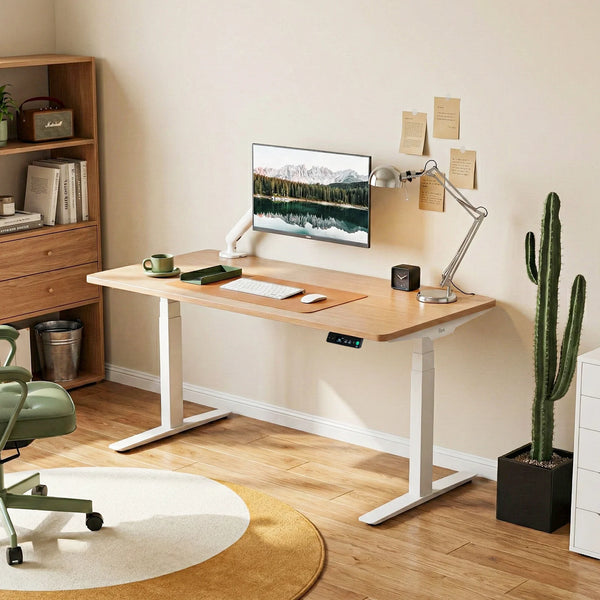
For an apartment or a study nook in a spare bedroom, the 9am HOME Atom Home Office Adjustable Standing Desk offers a compact 1,100 × 650 mm option. Check that this footprint still provides enough room for your screen, keyboard, and comfortable viewing distance.
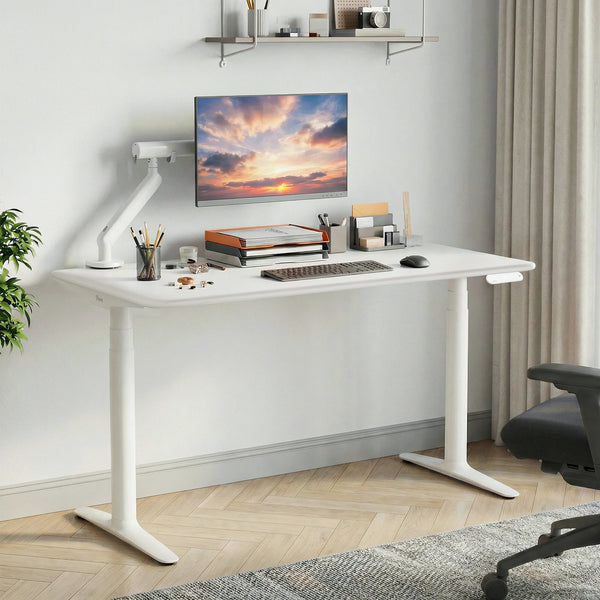
If simplifying installation is a priority, the 9am HOME Robin Pro Dual Motors Sit Stand Desk combines an integrated quick-assembly design with dual motors and included cable management.
Whichever model you choose, prioritise a suitable height range, usable desktop space, and a layout that makes switching convenient.
How Should You Set Up a Desk for Sitting and Standing?
Keep your shoulders relaxed, elbows close to your sides, and keyboard within easy reach. When seated, support your back and rest your feet on the floor or a footrest. When standing, avoid locking your knees or leaning heavily on the desktop.
Position the screen so you can read without craning your neck. A laptop used for longer sessions may need a separate keyboard and mouse so you can raise the screen independently. Our guide to properly using a standing desk explains adjustments for both positions
What Are the Most Common Sit-Stand Desk Mistakes?
A sit-stand desk works best when your setup and daily habits support comfortable position changes. Here are five common mistakes to avoid.
Standing for Too Long From the First Day
It can be tempting to stand all morning when you first get your desk. Start with short tasks instead, and gradually increase your standing time without pushing through tired legs or aching feet.
Using the Same Desk Height for Sitting and Standing
Adjust the desktop each time you switch positions. You should be able to reach the keyboard with relaxed shoulders, without bending forward or lifting your arms. Memory presets make these adjustments easier.
Standing Still Without Taking Movement Breaks
Standing in one place for a long time can also become uncomfortable. Between tasks, step away to refill your water bottle or take a short walk, rather than relying on desk-height changes alone.
Ignoring Chair and Monitor Setup
Your chair and screen still matter. When choosing an ergonomic chair, check its fit alongside your desk, and position the monitor so you can read comfortably while sitting or standing.
Treating Standing as a Replacement for Exercise
Standing breaks up sitting time, but it does not replace regular exercise. Keep walking or other activities in your routine; the WHO’s physical activity recommendations provide a useful reference.
Conclusion
Standing is useful when it gives you an alternative to prolonged sitting. It becomes less useful when it turns into another position you hold for hours. Set up your desk and chair together, change position with your tasks, and keep walking part of the day. A comfortable routine should give you more freedom to move.
Frequently Asked Questions
Is It Healthier to Stand All Day Instead of Sitting?
No. Prolonged standing can also cause fatigue and discomfort. Combine sitting, short standing periods, and movement instead of replacing one all-day posture with another.
How Often Should I Switch Between Sitting and Standing?
There is no universal ratio. As a practical cue, check your position around every 30 minutes and use task changes to stand or move. Change sooner if uncomfortable.
How Long Should a Beginner Stand at a Standing Desk?
Start with a short task, perhaps five to ten minutes, and assess how you feel. This is a suggested trial period, not a required minimum.
Does Standing at Work Count as Exercise?
Standing changes your posture but generally does not provide the intensity of aerobic exercise. Keep walking, cycling, or other regular activity in your week.
Can a Standing Desk Help With Back Pain?
It may help some people vary uncomfortable seated positions, but it is not a cure. Check your whole workstation; persistent or worsening pain needs individual medical advice.

Leave a comment