






Desk Measurements Guide: Standard Desk Size, Height, and Depth
Choosing the right desk size is not just about appearance or standard measurements. Desk dimensions include height, width, depth, legroom, and surrounding space, all of which affect comfort and usability.
Standard desk measurements, sometimes shortened to desk dims, help you compare desk options more clearly. Instead of relying on product photos, check the width, depth, height, and legroom. Typical office desk dimensions are around 120–150 cm wide and 60–75 cm deep, which suits a laptop, keyboard, mouse, notebook, and one monitor.
Standard Desk Measurements and Common Desk Sizes
Standard desk measurements help you compare desk options more clearly. Instead of relying on product photos, check the width, depth, height, and legroom. A typical home office desk is about 120–150 cm wide and 60–75 cm deep, which suits a laptop, keyboard, mouse, notebook, and one monitor.
Standard Desk Dimensions Reference Table
A standard home office desk size is often around 120–150 cm wide, 60–75 cm deep, and 71–76 cm high. This range works for many home office and office setups with a laptop, keyboard, mouse, and one monitor.
|
Desk Measurement |
Standard Reference |
What It Means |
|
Desk width |
120–150 cm |
Enough room for a laptop, one monitor, keyboard, mouse, and basic accessories |
|
Desk depth |
60–75 cm |
Gives space for typing, writing, and a comfortable monitor distance |
|
Desk height |
71–76 cm |
Common fixed sitting desk height for many office desks |
|
Leg clearance |
Enough for knees and chair movement |
Helps you sit close to the desk without feeling restricted |
|
Room clearance |
Space behind the chair |
Allows you to sit down, stand up, and move comfortably |
These standard desk measurements are useful for comparison, but they should not be treated as a perfect fit for every person. Your body height, chair height, monitor setup, and available room space can all change what desk size feels comfortable.
Common Desk Sizes for Home and Office
After checking the standard desk size, compare typical desk sizes by desk type. This makes it easier to see whether a desk is compact, standard, wide, or better suited to a larger office layout.
|
Desk Type |
Common Desk Size |
Best For |
|
Compact desk |
110 x 60 x 71–76 cm |
Small rooms, apartments, study corners, light laptop work |
|
Standard home office desk |
120 x 60 x 71–76 cm to 150 x 75 x 71–76 cm |
Everyday home office work, writing, video calls, one-screen setups |
|
Wide office desk |
150 x 75 x 71–76 cm to 160 x 80 x 71–76 cm |
Larger work surfaces, more desktop storage, longer work sessions |
|
Executive desk |
180 x 75 x 71–76 cm or larger |
Spacious offices, paperwork, larger layouts, premium desk setups |
|
Adjustable standing desk |
Width and depth vary, height adjustable |
Users who want flexible sitting and standing positions |
These common desk sizes help you understand different desk categories. Once you have a general idea of these options, you can move on to choosing a desk width that fits your actual work setup, such as laptop work, one monitor, or dual monitors.
What Is the Standard Desk Height?
Standard desk height is often discussed as a fixed number, but comfort depends on the person using the desk. A desk that works well for one user may feel too high or too low for another.

Standard Sitting Desk Height
For fixed sitting setups, the normal height for desk use is usually around 71–76 cm. This range is common for many fixed-height desks, but it is not always the best ergonomic height for every user.
If a fixed desk is too high, your shoulders may lift while typing. If it is too low, you may lean forward or round your back. For users who find a fixed desk too high or too low, a standing desk or adjustable desk can offer more flexibility.
The 9am Home article on standard desk height explains why a fixed number should be treated as a reference instead of a personal fit rule.
Adjustable Desk Height Range
An adjustable desk usually covers both sitting and standing positions, so users can change the height instead of relying on one fixed, regular desk size. When comparing options, check the lowest sitting height, the highest standing height, and whether the range fits your body height.
This is especially useful for shared home offices or users who switch between sitting and standing during the day. A height-adjustable desk also makes it easier to match the desk with different chairs, monitor positions, and work habits.
If you are moving from a fixed sitting desk to a sit-stand setup, the 9am Home sitting desk to standing desk article gives a practical way to change positions without turning standing into another static posture.
Desk Height by User Height
Desk height should match your body, not just the product label. Shorter users may need a lower sitting height, while taller users may need more height and more legroom.
Use this table as a general reference:
|
User Height |
Approximate Sitting Desk Height |
|
150–160 cm |
60–68 cm |
|
160–170 cm |
64–72 cm |
|
170–180 cm |
68–76 cm |
|
180–190 cm |
72–80 cm |
|
Over 190 cm |
76 cm or higher |
These numbers should not replace a posture check. Chair height, arm length, keyboard position, and footwear can all affect the ideal desk height.
How to Check If Desk Height Fits
A suitable desk height should let your feet rest flat on the floor or on a footrest. Your elbows should stay close to a 90-degree angle, your forearms should feel level, and your shoulders should stay relaxed.
Your wrists should not bend sharply upward while typing. You should also avoid leaning forward just to reach the keyboard or see the screen. For a fuller workstation check, the 9am Home ergonomic desk setup article explains how desk height, chair support, monitor placement, keyboard position, and daily movement work together.
What Is the Best Desk Depth?
Desk depth affects monitor distance, arm position, writing space, and how much room you have for daily accessories. A normal desk depth for home office use usually falls between 61 and 76 cm, although the right measurement depends on your monitor setup and available space. A desk that is too shallow can make the screen feel too close, while an overly deep desk may waste space in a small room.
Minimum Desk Depth for Small Spaces
For small spaces, a desk depth of around 61 cm can work for laptop use, study corners, and light daily tasks. This gives enough room for a laptop, mouse, and small notebook without taking up too much floor space.
However, 61 cm may feel limited if you add a monitor, keyboard, laptop stand, or speakers. It works best when the setup is simple, and the desk does not need to support many accessories.
Best Desk Depth for Monitors
For monitor-based work, a typical desk depth of 69–76 cm is usually more comfortable. This gives you more room to move the monitor back and maintain a comfortable viewing distance.
Monitor distance matters because a screen that sits too close can make the desk feel cramped. It may also encourage you to push your chair back, stretch your arms, or adjust your posture in awkward ways. If you use a monitor every day, depth is just as important as desk width.
Desk Depth for Writing and Work
Writing, reading, and paperwork need clear space in front of the keyboard or laptop. If you often take notes, review documents, or use a planner, a desk depth of around 69–76 cm is easier to work with.
A deeper surface lets you keep your keyboard near the front while still leaving room for paper, a notebook, or a tablet. It also reduces the need to constantly move items around during the day.
When a Deeper Desk Makes Sense
A deeper desk makes sense if you use a large monitor, dual monitors, a monitor arm, a laptop stand, speakers, or a drawing tablet. It also helps if you want a cleaner setup with more distance between your body and the screen.
For most home office users, the average desk depth falls within a practical 61–76 cm range. If your room is large and your setup includes multiple screens or accessories, moving closer to 80 cm can make the workspace feel more open.
How Wide Should a Desk Be?
Desk width decides how much horizontal space you have across the desktop. It affects how open the desk feels, how easily you can place daily items, and whether the desk fits the room without blocking movement.
A narrower desk works better in small rooms because it leaves more floor space. A wider desk gives you more surface area for work materials, storage, and a cleaner layout. The right width should match both the room size and how much open desktop space you prefer.
Compact Desk Width for Small Rooms
A compact desk width of 110–120 cm is usually enough for bedrooms, apartments, study corners, and small home offices. It keeps the work area practical without making the room feel crowded.
This width is best for users who want a simple desk footprint. It leaves more space for a chair, storage cabinet, walkway, or other furniture in the same room.
Standard Desk Width for Home Offices
A standard desk width for home office use is usually around 120–150 cm. This range gives more desktop space than a compact desk while still fitting most rooms comfortably.
It works well for everyday work because it leaves room for basic items such as a keyboard, mouse, notebook, desk lamp, and small accessories. For many users, this is the most balanced desk width between comfort and space saving.
Wide Desk Size for Larger Work Areas
A wide desk size usually starts around 150–160 cm. This width gives the desktop a more open feel and reduces the need to stack items around the main work area.
It is useful when you want more space for storage, paperwork, creative tools, or a cleaner room layout. If the room is large enough, a wider desk can make long work sessions feel less cramped.
Executive Desk Width and Layout
An executive desk is usually around 180 cm wide or larger. It is best for spacious rooms, larger layouts, paperwork, premium home office setups, or users who prefer a broad work surface.
This size is not necessary for every home office. Before choosing an executive desk, measure the room carefully and make sure the chair can still move freely. A large desk should improve the layout, not make the space harder to use.
How to Choose the Right Desk Size
Choosing the right desk size is not only about matching standard desk measurements. You also need to consider your room, work tools, posture, monitor distance, chair clearance, and future setup needs.
Measure Your Room Before Choosing a Desk
To decide what size of desk will fit, measure the available wall space and check doors, windows, wardrobes, drawers, power outlets, and walking paths.
A desk may look suitable online but feel too large once the chair, cables, and accessories are added. Leave enough space behind the chair so you can sit down, stand up, and move comfortably. If the desk is in a bedroom, apartment, or shared room, room clearance matters as much as desktop size.
Choose Desk Width Based on Your Setup
After deciding how much room you have, match the desk width to your actual work setup. This step is more specific than choosing by room size because monitors, laptop stands, speakers, lamps, and file holders can quickly change how much desktop space you need.
|
Work Setup |
Suggested Desk Width |
Why It Works |
|
Laptop only |
110–120 cm |
Gives enough room for a laptop, mouse, and small notebook without taking over the room |
|
Laptop + one monitor |
120–140 cm |
Leaves space for a separate keyboard, mouse, and basic desk accessories |
|
One monitor + laptop stand |
140–150 cm |
Helps separate the screen area from the typing area and keeps the desktop cleaner |
|
Dual monitors or larger setup |
150–160 cm |
Gives screens enough side-to-side space while leaving room for mouse movement |
|
Wide workstation |
180 cm |
Works better for large monitors, speakers, creative tools, paperwork, or premium layouts |
If you also need speakers, a desk lamp, file holders, or a desktop computer, choose a wider desktop. Extra width keeps the main work area cleaner and reduces the need to stack items around the keyboard.

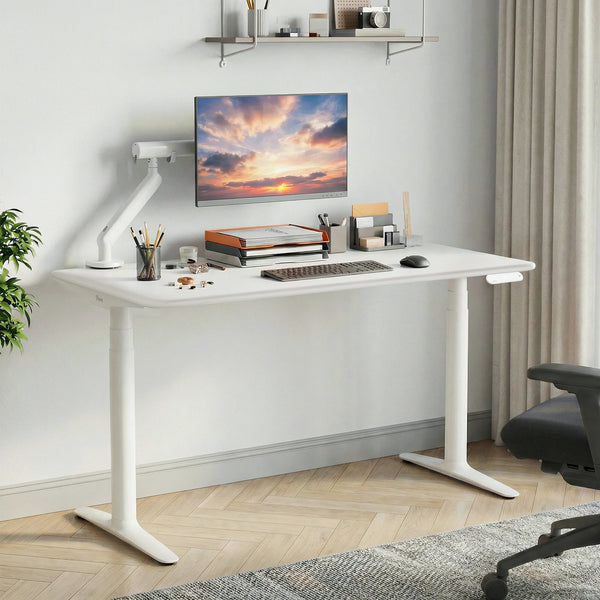
For a small room, apartment, or compact home office, the 9am Home Atom Home Office Mini Adjustable Standing Desk is a practical fit. Its 110 x 65 cm desktop gives you enough room for a laptop, keyboard, mouse, or a single monitor without taking over the space.
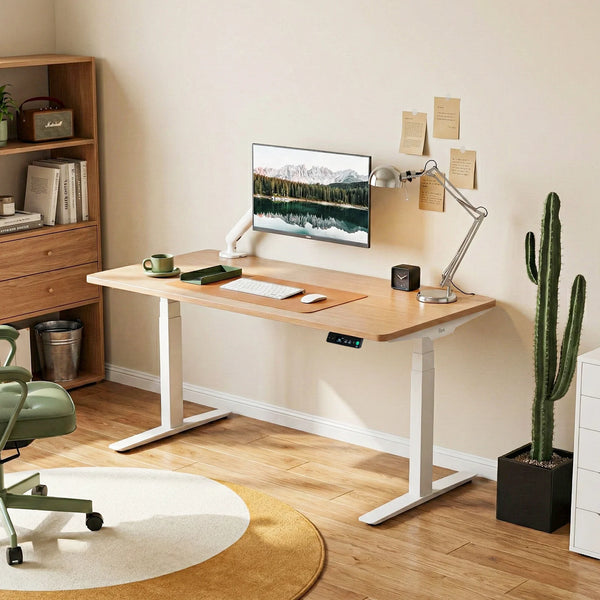
If you want a step up from a mini desk, the 9am Home Pesk Dual Motors Melamine Home Office Electric Standing Desk gives you more room to work comfortably. With 120 x 75 cm, 150 x 75 cm, and 180 x 75 cm size options, it suits anything from a simple single-screen setup to a wider everyday work-from-home station.
Choose Desk Depth Based on Monitor Distance
Standard desk depth is usually around 61–76 cm. A 61 cm depth is suitable for laptops, small rooms, and light office tasks. A 69–76 cm depth is usually better for monitor-based work because it creates more space between your eyes and the screen.
If you use a large monitor, dual monitors, or a monitor arm, a shallow desktop may make the visual distance uncomfortable. The screen may sit too close, and the keyboard area may feel cramped. In this case, choosing a deeper desktop can make the whole setup easier to use.
Match Desk Height to Your Sitting Posture
A standard desk height is usually around 71–76 cm, but that does not mean it suits every home office setup. If the desk is too high, your shoulders may lift, and your wrists may feel strained while typing. If it is too low, you may lean forward, round your back, or look down at the screen for long periods.
The ideal setup lets both feet rest flat, keeps your elbows near a 90-degree angle, and allows your shoulders to stay naturally relaxed. You should not have to adapt to the desk by shrugging, bending your wrists, or hunching forward. For users who want a more suitable height for daily work, an adjustable standing desk is often a better choice because it can support both sitting and standing positions and adapt to different body heights, chairs, and work habits.
Pick a Desk Size by Work Type
Different work types need different standard desk sizes. Writing and studying can work with a shallower desktop because the setup is usually simple. Long computer work should give more attention to desk depth, monitor distance, and keyboard position.
Design, video editing, gaming, and multi-device work usually need more width and stronger support. If your setup includes several screens or heavier accessories, do not choose only by the smallest desktop that can hold them. Choose a desk size that still gives your arms, chair, and accessories enough room.
Avoid Choosing Only by Regular Desk Size
Regular desk size is only a reference. It does not mean the desk will fit every user, every room, or every work habit.
Before buying, check the room size, number of monitors, chair clearance, desktop storage, and future equipment upgrades. A desk that is slightly wider, deeper, or height-adjustable may be more practical if your setup is likely to change.
Common Desk Measurement Mistakes
Many desk problems come from checking only one measurement. A desk may be wide enough but too shallow, deep enough but too high, or suitable for the monitor but awkward for the room.
Choosing a Desk That Is Too Shallow
A shallow desk can work for a laptop, but it may feel uncomfortable for monitor-based work. When the screen sits too close, you may push your chair back, stretch your arms, or lean away from the desk.
If you use a monitor every day, check desk depth before focusing only on width. A wide but shallow desk can still feel cramped if the screen and keyboard are too close together.
Ignoring Chair and Leg Clearance
Desk size is not only about the desktop. You also need enough space under the desk for your knees, thighs, and feet.
Check whether the frame, drawer, cable tray, or crossbar reduces legroom. You should be able to sit close enough to the keyboard without your knees hitting the desk structure.
Measuring the Desk but Not the Room
A desk can have the right measurements but still be wrong for the room. If it blocks a door, window, wardrobe, walkway, or power outlet, the setup will feel inconvenient.
Measure the full work zone, not just the desktop. Include chair movement, cable routing, storage access, and enough room to stand up comfortably.
Forgetting Monitor Distance and Accessories
Many people measure only the laptop or monitor base. Then they forget the keyboard, mouse, speakers, lamp, notebook, docking station, monitor arm, and cable management.
Plan the full desktop layout before choosing the size. The best desk measurements should support the whole work routine, not just the largest item on the desk.
Conclusion
Desk measurements are easier to understand when you break them into height, width, depth, legroom, and room clearance. A standard desk size can help you compare options, but it should not be the only factor.
For many home offices, 120–150 cm wide and 61–76 cm deep is a practical starting point. Laptop-only setups can use less space, while dual monitors, creative work, and larger accessories usually need more width and depth. The right desk size should fit your room, support your posture, and give your equipment enough space without creating clutter.
FAQ
Is 120 x 60 cm big enough for a desk?
Yes, 120 x 60 cm can be big enough for a desk if you use a laptop, compact keyboard, mouse, or one small monitor. It works well for small rooms, apartments, study corners, and simple home office setups. If you use a large monitor, dual monitors, or many accessories, a deeper or wider desk may feel more comfortable.
Is a 160 x 80 cm desk too big?
A 160 x 80 cm desk is not too big if you have enough room and need a wider workspace. It is a good size for dual monitors, paperwork, design tasks, gaming, or a larger work-from-home setup. In a small room, measure chair clearance and walking space before choosing this size.
Is 90 cm too deep for a desk?
A 90 cm deep desk is deeper than most standard home office desks. It can work in a large room or for special setups, but it may feel oversized for daily computer work. For most users, 61–76 cm is easier to fit and still gives enough room for monitors and accessories.
How much desk width do I need?
For laptop-only work, 110–120 cm of desk width is usually enough. For a laptop plus one monitor, 120–140 cm is more comfortable. For a monitor plus laptop stand, 140–150 cm works better. For dual monitors, design work, gaming, or heavier multitasking, 150–160 cm gives more usable space.

Leave a comment