



Are Standing Desks Worth It? What to Know Before Buying
In the modern era, the average office worker remains seated for 10 to 15 hours a day, a habit linked to numerous metabolic health risks. As a result, the standing desk has transitioned from a niche ergonomic tool to a global workplace trend. But is a stand-up desk truly worth the investment, or is it merely a passing aesthetic fad? This article explores the science and practicalities of sit-stand workstations to help you make an informed decision for your home or office.
What Is a Standing Desk?
Before evaluating the benefits, it is important to understand what a standing desk actually is and the various formats available to the modern consumer.
A standing desk, often called a sit-stand desk, allows you to raise your workspace to a height where you can work comfortably while standing. The goal is to provide the flexibility to change positions throughout the workday.
Types of standing desks?
-
Electric Standing Desks: Driven by internal motors, these allow for seamless, push-button height adjustments and often include memory presets.
-
Manual (Crank) Desks: These require physical effort to raise or lower via a hand crank, making them a more affordable but slower option.
-
Standing Desk Converters: Also known as "toppers," these sit on top of a standard desk to provide a height-adjustable platform for your monitor and keyboard.
Are Standing Desks Worth It?
Short answer? Yes—but only if you actually use them the way they’re meant to be used.
The real benefit comes from movement. Small shifts. Subtle adjustments. Standing desks encourage your body to stay active instead of being locked into one position for hours. That alone can help counter the effects of prolonged sitting.

Quick Takeaway (Who It’s For vs. Who It’s Not For)
Recommended for:
-
People who sit for long periods:
If you spend 8+ hours at a desk and feel stiff or sluggish, this can make a noticeable difference. -
People aiming to improve posture:
Standing naturally brings your spine into better alignment—especially helpful if you deal with “tech neck.” -
Home office users:
Sharing a workspace? A well-designed home office desk with adjustable presets makes switching between users feel almost effortless. On video calls, standing can even lift your energy and help you come across as more engaged.
Not recommended for:
-
People with serious joint or circulation issues:
Extended standing can aggravate conditions like varicose veins or knee pain. -
People resistant to routine changes:
This setup only works if you’re willing to adapt. There’s usually a short adjustment period—and not everyone sticks with it.
The Pros and Cons of Standing Desks
Deciding to switch to a stand-up desk requires a balanced view of the immediate health perks and the practical lifestyle adjustments required.
Benefits of Standing Desks
-
Lower risks linked to long sitting periods:
Standing more often may help regulate blood sugar and reduce the risk of weight gain. -
Better posture:
Your core engages more. Your spine stays more neutral. Over time, that matters. -
Improved mental clarity:
Ever hit that afternoon slump? Standing can help shake it off. -
More movement overall:
You’re more likely to stretch, shift, or pace—without breaking your workflow.

Downsides You Should Know
-
Standing too long can backfire:
Sore feet. Tight calves. Even lower back strain if overdone. -
Higher upfront cost:
Quality models—especially electric ones—aren’t cheap. -
Adjustment period required:
Your legs and core need time to adapt. Expect some fatigue early on. -
Setup matters:
If your desk height is off, you might trade one problem (sitting pain) for another (wrist or shoulder strain).
What to Know Before Buying
Not all desks are created equal; choosing the right technical specifications will determine whether your desk becomes a staple or an unused fixture.
Electric vs. Manual
For a smarter and more durable standing desk, we highly recommend purchasing an electric model. Manual desks are often left in one position because the cranking process is tedious. Electric motors allow for effortless transitions, ensuring you actually use the standing feature daily. Where possible, opt for a dual-motor system rather than a single motor, as it provides better lifting power, smoother adjustments, and improved long-term durability.
Stability and Dimensions
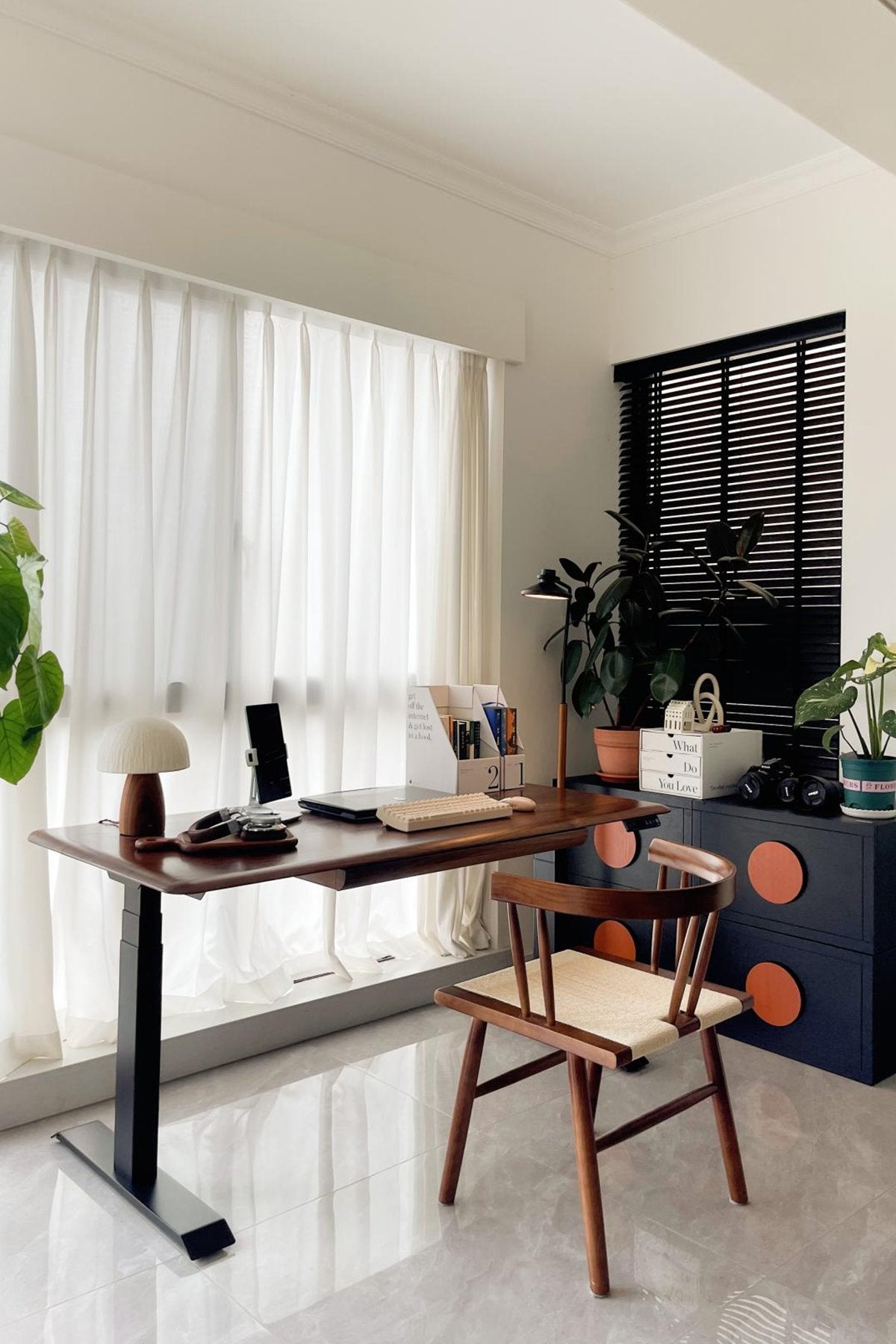
Stability is paramount, especially when the desk is at its maximum height. In terms of stability, we recommend the 9 am Pesk Pro Hardwood Home Office Electric Standing Desk, which features larger, reinforced legs and feet for enhanced stability and is powered by a high-end Bosch motor for smooth, wobble-free movement.
Height Adjustment Range
Ensure the desk accommodates your specific height requirements. A good stand-up desk should allow your elbows to rest at a 90° angle and your feet to be flat on the floor in both positions.
Noise Level and Weight Capacity
If you work in a quiet environment, consider the 9 am Atom Home Office Mini Adjustable Standing Desk. It offers an operating noise level below 40 dB—quieter than a library—and a load capacity of up to 125 kg, easily supporting heavy dual-monitor setups and professional gear. Dual motors also contribute to faster and smoother lifting speeds, even under heavier loads, without increasing noise levels significantly.
Budget Recommendations
Focus your budget on the frame and motor quality rather than aesthetic add-ons. A high-quality motor is an investment in longevity, as cheaper versions are prone to failure and loud vibrations. Investing in a dual-motor frame may cost more upfront, but it pays off in better performance, stability, and lifespan—offering improved stability at maximum height, a wider height adjustment range to suit different users, and faster, smoother lifting speeds even under heavier loads.
Tips for Using a Standing Desk Properly
Owning the desk is easy. Using it well—that’s where most people slip. A standing desk won’t fix anything on its own. The way you use it makes all the difference.
Follow the 20-8-2 rule:
20 minutes sitting.
8 minutes standing.
2 minutes moving.
It sounds simple, almost too simple—but it works because it keeps your body from staying still for too long. And honestly, that’s the real goal here.
Don’t rush into standing for hours right away. Your legs, lower back, and even your feet need time to adapt. Start small. Maybe 15–30 minutes at a time. Build from there.
Footwear matters more than people think. Standing in flat, unsupportive shoes—or worse, barefoot on a hard floor—can lead to discomfort pretty quickly. A good pair of supportive shoes, or an anti-fatigue mat, can take a lot of pressure off your joints.
Pay attention to your setup. Your screen should sit at eye level so you’re not craning your neck forward. Your elbows? Keep them close to a 90-degree angle. Wrists straight, shoulders relaxed. If something feels “off,” it probably is.
And here’s something many people overlook—movement doesn’t have to be dramatic. Shift your weight. Take a step back. Stretch your arms for a few seconds. Even small adjustments help keep circulation going.
One more thing—listen to your body.
Feeling stiff? Sit down.
Feeling sluggish? Stand up.
There’s no perfect ratio that works for everyone. The best setup is the one you’ll actually stick with.
Conclusion
In summary, a standing desk is a powerful tool for anyone looking to reclaim their health in an increasingly sedentary world.
While it is not a cure-all, the ability to alternate between sitting and standing provides significant benefits for posture, energy, and long-term metabolic health. By investing in a high-quality, stable model, you are ensuring that your transition to a healthier, more dynamic workspace is both comfortable and permanent.
FAQ
Is it better to use a standing desk all day?
No. Research shows that standing all day is just as harmful as sitting all day. The key is "postural variation"—constantly switching between positions to keep the body active and reduce static load.
What is the most unhealthy sitting position?
The "slumped" or "C-curve" spine, where your shoulders are rounded, and your head leans forward toward the screen. This puts excessive pressure on the spinal discs and cervical vertebrae.
How many hours a day is considered sedentary?
Sitting for more than 6 to 8 hours a day is generally classified as sedentary behavior. This is why a sit-stand desk is so effective at breaking up long blocks of inactivity.
How long should you stand at a standing desk each day?
Start slow with 15–30 minutes at a time. Most experts suggest aiming for a cumulative total of 2 to 4 hours of standing spread across an 8-hour workday.

Leave a comment